Kant-en-klare animatiesvoor je video’s.

Browse the library Ondertitels toevoegen

Upload je MP4 en wij voegen woord voor woord ondertitels toe!

Any animation in our library - yours for just

Previously $20 18.18 $

Klaar voor jouw video

Zobacz wszystkie animacje

De hele bibliotheek in elk abonnement.

Every subscriber gets every animation - we don't care that you're on the "cheapest" plan. You're our client, and that's what matters

Van sjabloon naar video in drie klikken

You edit fields in the browser. The rendering engine builds the clip and stores the file on your account.

1

Choose a template

Watch the preview loop, then open the one that fits the beat of your video.

2

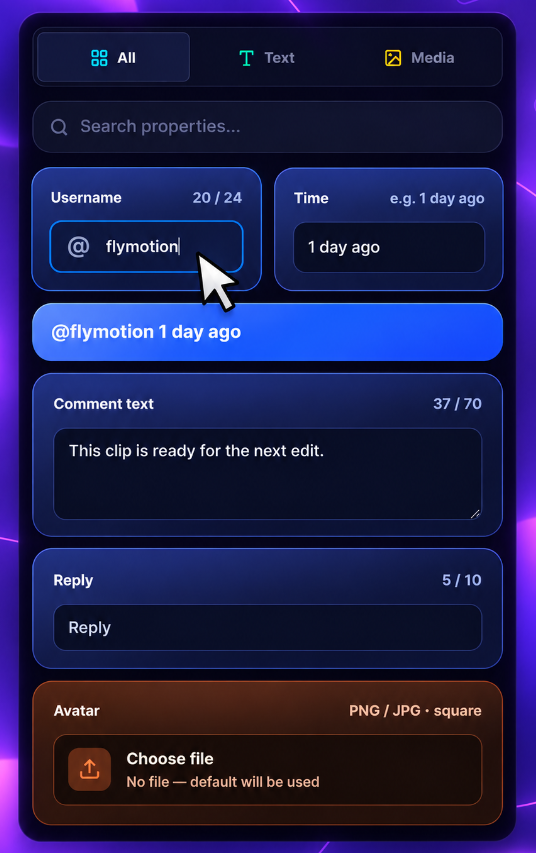
Fill in your details

Names, lines, colors, images. Limits on each field keep the layout stable.
3

Export the clip

It goes into the queue. When it’s done, download 1080p from the export window or history.

History that sticks

Past exports stay on the account. Grab them again without spending another export.

Preview without burning quota

Tweak text and color as much as you want. Only finished exports count toward the plan.

Duidelijke antwoorden

Still stuck? Email us - we usually reply the same day.

Dołącz do Discorda
A pack needs desktop software and a local render. FlyMotion keeps editing in the browser and returns a ready file, with alpha when you need it.
No. You fill a short form. The finished clip behaves like any other video file in your editor.
MOV with an alpha channel or MP4 on a solid background, 1920×1080, 16:9. It stays in download history on your account.
Previews and editing stay available. Export turns back on when the rendering engine returns - quota isn’t charged while it’s down.
Yes - write to us. Black covers custom work, and we also expand the library from requests.
Didn't find your answer?See all questions

Maak een account en bekijk de hele bibliotheek

Account takes under a minute. Turn on export only when you need the file.